
Bridge Church Connect installs a little differently from apps you might be used to downloading from the app store. This helps us, as a non-profit church, avoid extra fees. Don’t worry though – it’s really simple and only takes a few taps to add it to your phone.
The app has been lovingly put together by one of our amazing Team Members, and by adding it to your phone you’re not only encouraging them, you’re also helping us as a church make the most of our resources so we can keep loving and serving our community.
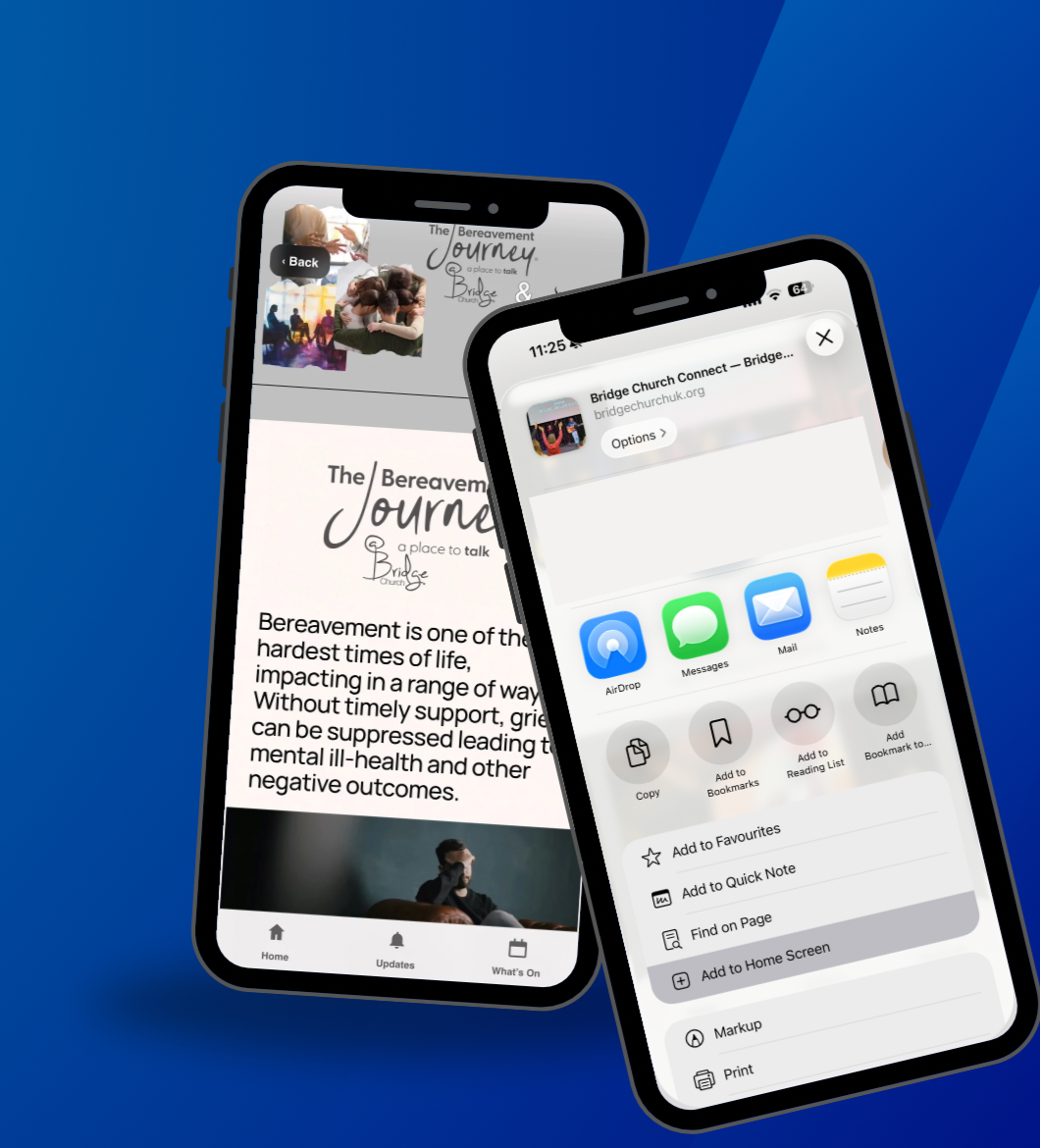
🍎 iPhone / iPad (Safari)
Open the link in Safari
Tap the Share icon (square with arrow ↑)
Scroll down and tap Add to Home Screen
Tap Add
✅ You’ll now see Bridge Church Connect on your Home Screen like a normal app.
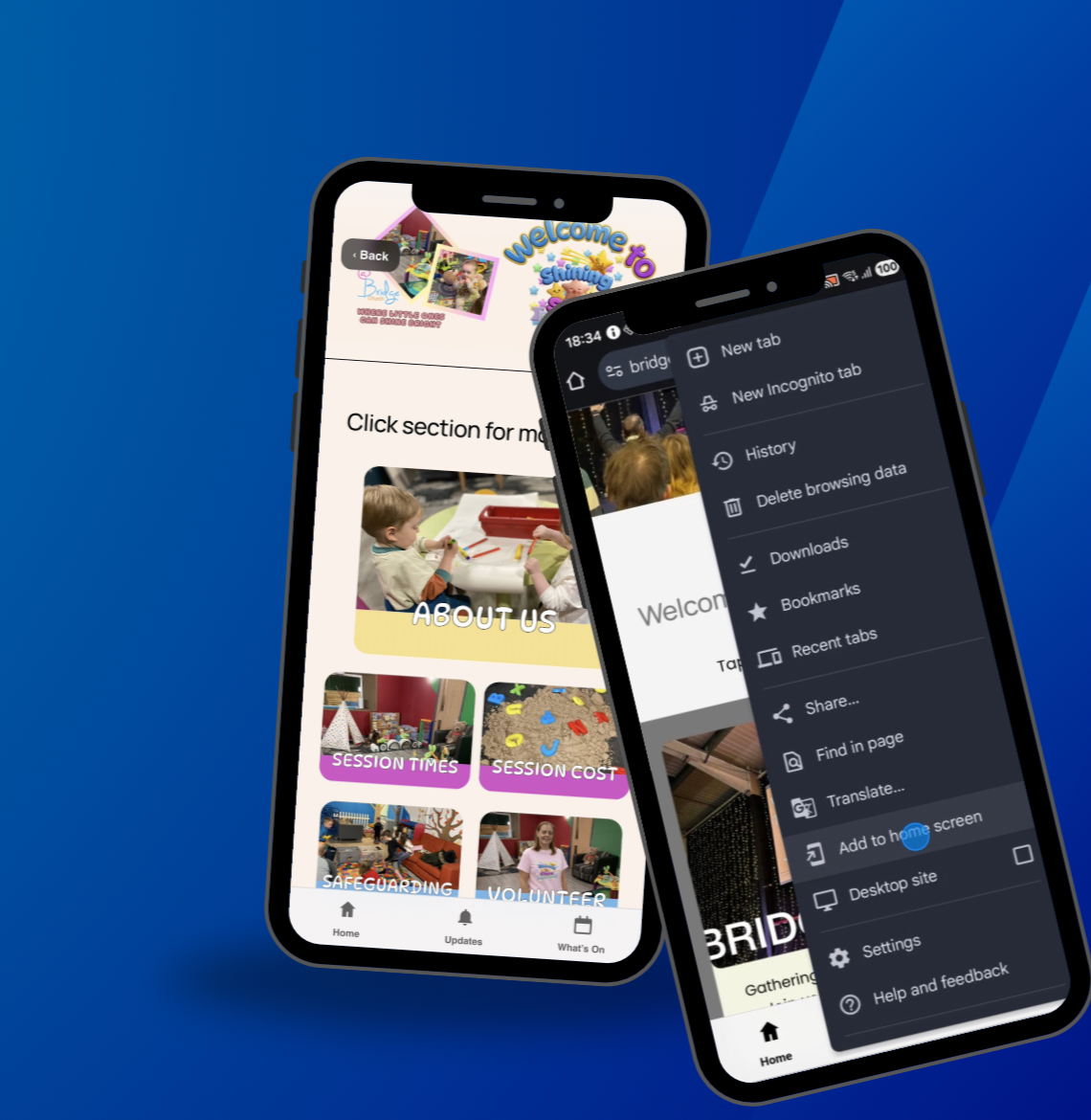
🤖 Android (Chrome)
Open the link in Chrome
Tap the three dots (⋮) in the top-right
Tap Add to Home Screen or Install App
Confirm
✅ The app will now appear in your app drawer and Home Screen.
ℹ️ Good to Know
✅ No app store
✅ No login required
✅ No personal data collected
Ready to Install?
🙋 Need Help?
If you’re stuck, ask one of the welcome team — we’re happy to help you get set up.
Or contact us via email